
Two-Factor Authentication (2FA)
What is Two-Factor Authentication?
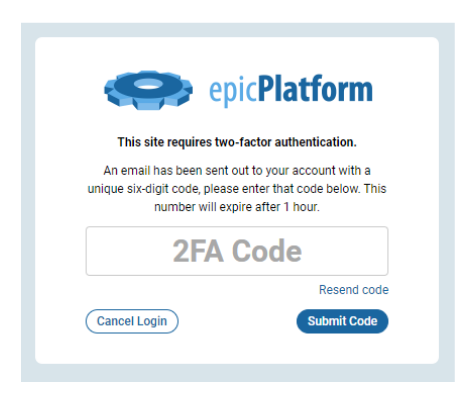
Two-factor authentication (2FA) provides an additional layer of security for the administrative backend of your website. This enhanced security feature requires users to complete two separate verification steps before accessing the system:
- First, enter your standard username and password
- Second, input a unique six-digit verification code
How Two-Factor Authentication Works
When 2FA is enabled, after successfully entering your login credentials, you will receive a six-digit verification code via email. This extra step ensures that even if someone obtains your password, they cannot access the administrative area without the unique code.
Receiving Your Verification Code
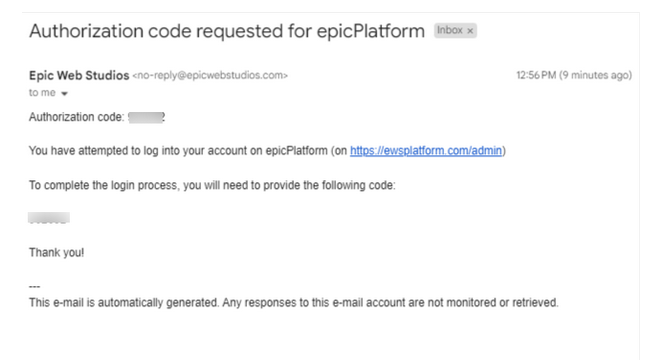
Look for an email with the following details:
- Subject Line: 'Authorization Code Request for
' - Sender: 'no-reply@epicwebstudios.com'
Important Tip
NOTE: If you cannot find the email in your primary inbox, be sure to check your SPAM or ALL MAIL folders. Sometimes verification emails can be filtered out by email systems.
Category: Getting Started with the EpicPlatform
Tags: 2fa, two-factor, authorization
